
Software
Microsoft SQL Server Management Studio (SSMS) has evolved significantly since its 2005 debut, becoming the essential tool for database administrators and developers. This list traces every major version—from its early days to modern cloud integrations—helping professionals understand compatibility, features, and upgrade paths.
SQL Server 2005 Management Studio Initial Release

Step back to 2005 when Microsoft launched SQL Server 2005 Management Studio—the first unified interface that finally replaced the clunky Enterprise Manager and Query Analyzer tools. This release marked a turning point for database administrators, offering a single, streamlined environment for managing SQL Server instances.
The initial version introduced a modernized UI with tabbed query windows, improved debugging tools, and basic performance monitoring. It supported SQL Server 2005 exclusively, which included features like native XML data type support and CLR integration—game-changers at the time. For legacy systems, this version remains the only option for maintaining older databases without compatibility issues.
If you're working with SQL Server 2005 environments or studying the evolution of database tools, this is the version you’ll need. It’s also a nostalgic trip for those who remember the early days of modern SQL management. 💻
SQL Server 2008 Management Studio Enhanced UI
If you’ve ever struggled with manual SQL syntax checks or clunky table layouts, SQL Server 2008 Management Studio was a game-changer. This version introduced IntelliSense for SQL queries, auto-completing keywords and objects as you typed—cutting debugging time in half for developers migrating from older tools.
The table designer let you visually edit schema, drag-and-drop columns, and set constraints without writing raw DDL. Performance insights were also upgraded, with query execution plans now showing real-time cost estimates and missing indexes—critical for optimizing slow queries. These features made it the first truly developer-friendly SSMS.
Perfect for teams still running SQL Server 2008 R2 or maintaining legacy databases, this version remains a reliable choice for those who need stability without modern cloud dependencies. 💻
SQL Server 2012 Management Studio PowerShell Integration

If you’ve ever spent hours manually configuring SQL Server instances, SQL Server 2012 Management Studio was your game-changer. It introduced native PowerShell integration, letting DBAs automate repetitive tasks like server deployments, security policy enforcement, and backup management—something previous versions couldn’t do.
With SQL Server 2012, you gained access to SQLPS module (later replaced by SQLServer module), enabling scripted administration of databases, jobs, and logins. The SMO (SQL Server Management Objects) library became fully scriptable, while cmdlets like New-SqlDatabase or Invoke-Sqlcmd streamlined workflows. This was especially valuable for sysadmins managing hundreds of servers, where manual work would take days.
Ideal for enterprise environments or teams relying on DevOps pipelines, this version remains a cornerstone for automation-heavy workflows. 💻
SQL Server 2014 Management Studio Cloud Readiness

If you’re managing databases in a hybrid world—where on-premises servers meet cloud flexibility—SQL Server 2014 Management Studio (SSMS) was the bridge you needed. Released alongside SQL Server 2014, this version introduced Azure SQL Database tools, letting you deploy, monitor, and manage cloud databases directly from the familiar SSMS interface.
Key features included streamlined Azure SQL provisioning, cross-database query execution between on-prem and cloud, and enhanced security for hybrid connections. The Windows 8.1-optimized UI also improved performance for larger schemas, while backup compression reduced storage costs. For early cloud adopters, this was the first taste of seamless hybrid management without third-party tools.
This version remains relevant for legacy hybrid setups or organizations still running SQL Server 2014/2016 but needing cloud access. If you’re maintaining older environments with Azure dependencies, SSMS 2014 is your battle-tested setup. ⚡
SQL Server 2016 Management Studio Advanced Analytics

If you're bridging the gap between traditional SQL databases and modern data science, SQL Server 2016 Management Studio is your bridge. This version introduced a game-changer: seamless integration with R and Python, letting you run analytics directly within SSMS without jumping between tools.
The R Services feature lets you execute R scripts inside T-SQL queries, while Python integration enables machine learning workflows with libraries like scikit-learn or TensorFlow. It also added Stretch Database, letting you store cold data in Azure while keeping hot data on-prem for cost efficiency. These features made it a favorite for mixed environments where SQL and analytics teams needed to collaborate.
Perfect for data scientists working with SQL Server or analysts maintaining legacy systems while adopting data science. Its hybrid capabilities keep it relevant even as newer versions emerge. ✨
SQL Server 2017 Management Studio Linux Support
If you’ve ever been stuck managing SQL Server exclusively from Windows, SQL Server 2017 Management Studio (SSMS) shattered that barrier—literally. This was the first version to break free from Windows-only constraints, offering native Linux and macOS support, a game-changer for DevOps teams and open-source advocates tired of Windows dependencies.
The cross-platform release included Linux binaries (Ubuntu, RHEL, SUSE) alongside Windows, with macOS support via Docker containers. It retained all the familiar tools—query editors, table designers, and performance dashboards—while adding Linux-specific optimizations like improved CLI integration. For the first time, you could run SSMS on a Ubuntu server or macOS laptop without emulation, making it ideal for hybrid cloud workflows.
This version was a must-upgrade for DevOps engineers managing mixed environments or those who preferred Linux for development. It also laid the groundwork for future cloud-native tools, proving Microsoft could innovate beyond Windows-first solutions. ✨
SQL Server 2019 Management Studio AI Features

If your database queries feel sluggish or unpredictable, SQL Server 2019 Management Studio introduced game-changing AI features to automate optimization. This was the first version to embed AI-driven query tuning directly into the interface, analyzing execution plans and suggesting improvements in real-time.
The Intelligent Query Processing feature automatically adjusts query execution based on historical patterns, while Machine Learning Services integration lets you deploy Python/R models natively within SQL Server. You’ll also find predictive query store capabilities that forecast performance issues before they impact users—ideal for high-stakes environments like e-commerce or financial systems.
Data scientists and analytics teams benefit most from these features, as they enable seamless integration of ML workflows with traditional SQL operations. For teams already using Azure ML or Python, this version bridges the gap beautifully. ✨
SQL Server 2022 Management Studio Performance Tools

If your database is struggling under high transaction loads, SQL Server 2022 Management Studio delivers the most powerful performance tools yet. The Query Store now includes real-time monitoring for blocking queries, deadlocks, and wait statistics—features that let you catch bottlenecks before they cripple your system.
You’ll find enhanced live query statistics, automatic plan correction, and predictive query store alerts that flag issues before they escalate. The Intelligent Query Processing improvements ensure your queries run faster out of the box, while the new performance dashboard consolidates metrics like CPU, memory, and I/O into a single view. This version also supports SQL Server 2022’s new ledger tables for tamper-proof data tracking.
Perfect for DBAs managing high-transaction databases (think e-commerce, banking, or ERP systems), this version turns performance tuning from a guesswork art into a data-driven science. 💻
SSMS 18.0 Standalone Release Separation
Stuck maintaining a SQL Server 2012 or 2014 instance but craving modern SSMS features? SSMS 18.0 broke the mold by becoming the first standalone release—no longer tied to SQL Server updates. This meant Microsoft could deliver fixes and improvements independently, letting you upgrade your tooling without forcing a full SQL Server version leap.
Key highlights include enhanced query editing with better IntelliSense support, improved Azure SQL Database integration, and bug fixes that addressed years of accumulated issues. The standalone installer also simplified deployment, eliminating conflicts with bundled versions. For users on older SQL Server editions, this was a game-changer—finally getting performance and stability updates without migration pressure.
Perfect for legacy system administrators or teams with mixed environments where upgrading SQL Server isn’t an option. ⚡
SSMS 19.0 Azure Arc Integration
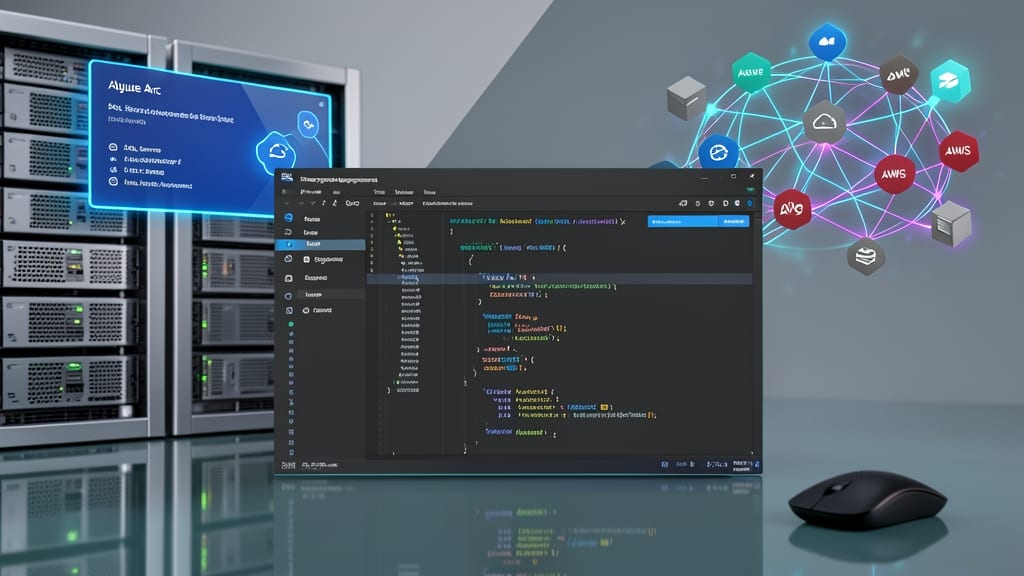
If your organization is embracing multi-cloud strategies but still relies on on-premises SQL Server, SSMS 19.0 bridges the gap with its Azure Arc integration. This version lets you manage SQL Server instances across hybrid environments—whether they’re hosted in Azure, on-premises, or even other clouds—from a single pane of glass.
The key feature here is Azure Arc-enabled SQL Server management, which extends SSMS’s capabilities to include cross-cloud monitoring, patching, and policy enforcement. You can now apply governance policies consistently across environments, ensuring compliance while reducing manual effort. The integration also supports SQL Server 2019 and later, making it future-proof for enterprises upgrading their infrastructure.
This version is a game-changer for IT admins in hybrid environments, especially those using Azure Arc for Kubernetes or other cloud-native services. It simplifies managing distributed SQL workloads without sacrificing control. ✨